
One connector URL
Paste https://mcp.makemysitelive.com/mcp into Claude's Add custom connector dialog. There is nothing to install or run locally.
MakeMySiteLive runs a hosted MCP (Model Context Protocol) server, so Claude can publish and manage your websites straight from a chat. Add one connector URL, sign in once, and ask Claude to create a site, deploy a ZIP, publish a single HTML page, or roll back a version, all without opening the dashboard. It is the fastest way to put an AI-generated page online.
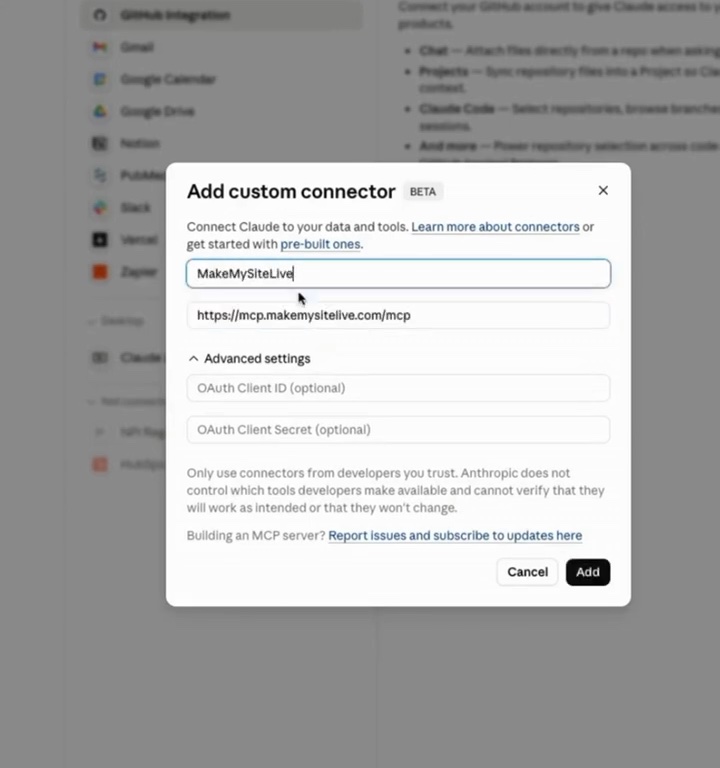
In Claude, open Customize, then Connectors, and choose Add custom connector. Paste the link above and save.
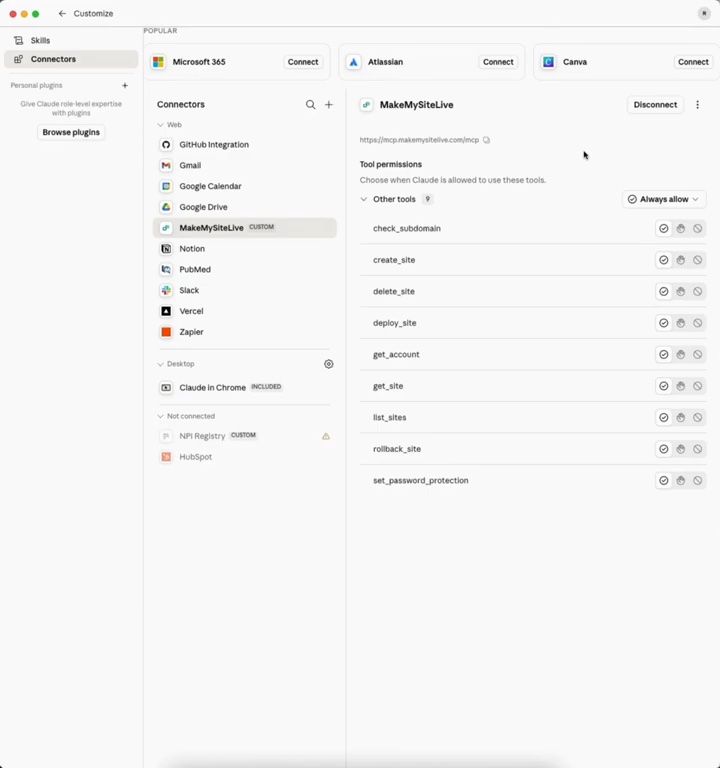
Claude asks you to sign in to MakeMySiteLive. After that it can see the tools it is allowed to use.
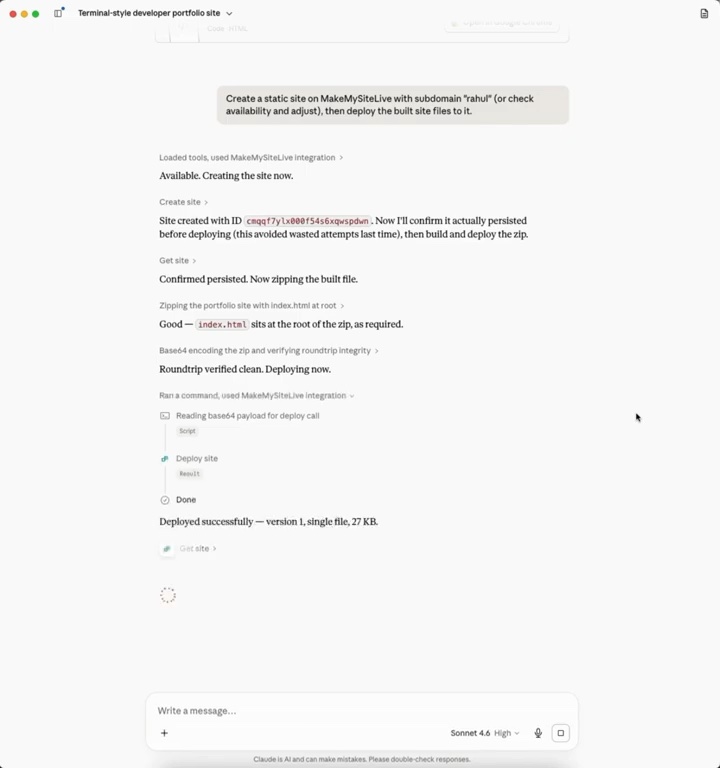
Tell Claude which address you want. It checks the name, creates the site and publishes your files.
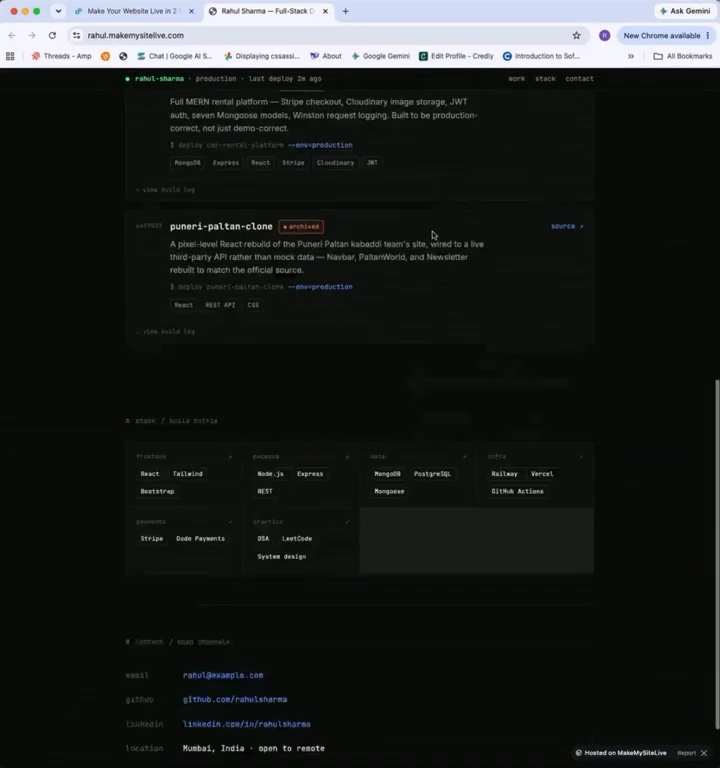
Claude sends back the link. The site is live with the secure lock on, the same as uploading it yourself.
Paste https://mcp.makemysitelive.com/mcp into Claude's Add custom connector dialog. There is nothing to install or run locally.
When Claude writes a page in chat, it can publish that HTML as a live microsite in the same conversation.
Create sites, deploy ZIPs, roll back versions, check subdomains, and set password protection without leaving Claude.
The connection uses OAuth, so Claude acts only as you and only within your plan. Disconnect any time.
Add the MakeMySiteLive MCP connector (https://mcp.makemysitelive.com/mcp) in Claude, approve access once, then ask Claude to publish your HTML or deploy your ZIP. It returns a live URL. No dashboard needed.
It is https://mcp.makemysitelive.com/mcp. Paste it into Claude's Add custom connector dialog under Customize → Connectors.
Yes. If Claude generates a single-file HTML page in chat, it can publish that HTML directly as a microsite and return the live link.
Yes. The connection uses OAuth and Claude acts only as you, within your plan limits. You can require approval per tool and disconnect the connector at any time.
Your first site is free forever. No card needed.