The normal way to add Google Analytics to a static site is to paste a script into every page's head and republish. That is tedious with one page and error-prone with twenty. On a MakeMySiteLive Pro site you paste the measurement ID once and the tag is installed on every page of the live site. Here is how, plus the other three tools you can connect the same way.
What you’ll need
A MakeMySiteLive Pro full site. Analytics integrations are a Pro full-site feature and are not available on microsites.
An ID from the tool you want to connect. Where to find each one is below.
Steps
1Step 1 of 5
Step 1 of 5
Get your measurement ID
In Google Analytics, open Admin, then Data streams, then your web stream. The measurement ID starts with G-. If you use Google Tag Manager instead, your container ID starts with GTM-.
Illustration
Admin›Data streams›Your web stream›
Measurement IDG-7K2Q9XW1LM1
You should see: an ID that starts with G-. Copy it.
1Your measurement ID
2Step 2 of 5
Step 2 of 5
Open Analytics tools
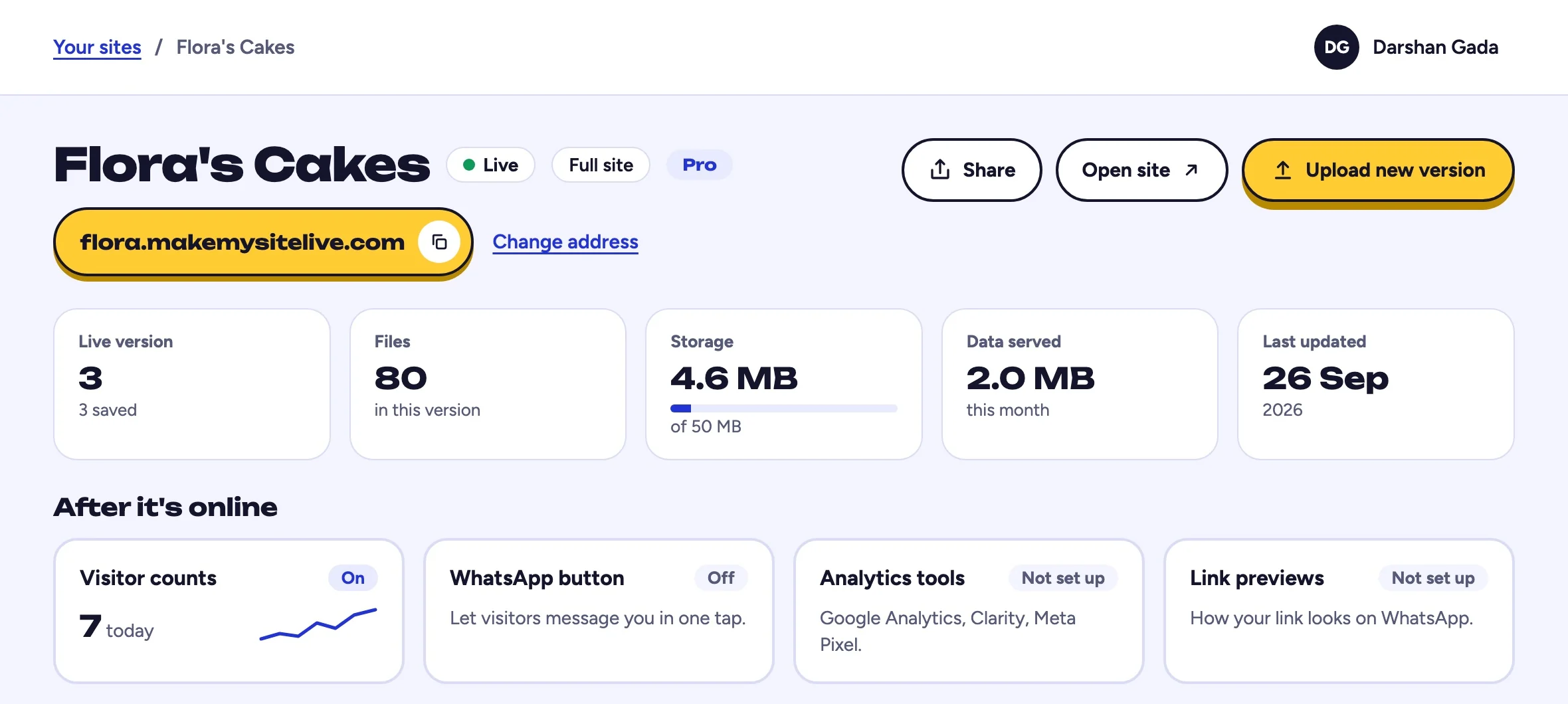
In the dashboard, open your site and select Analytics tools in the After it's online tiles. Each supported tool has its own field and its own on and off switch.
www.makemysitelive.com/sites/flora
1
You should see: After it's online, under the stat tiles.
1Select Analytics tools
3Step 3 of 5
Step 3 of 5
Paste the ID and enable it
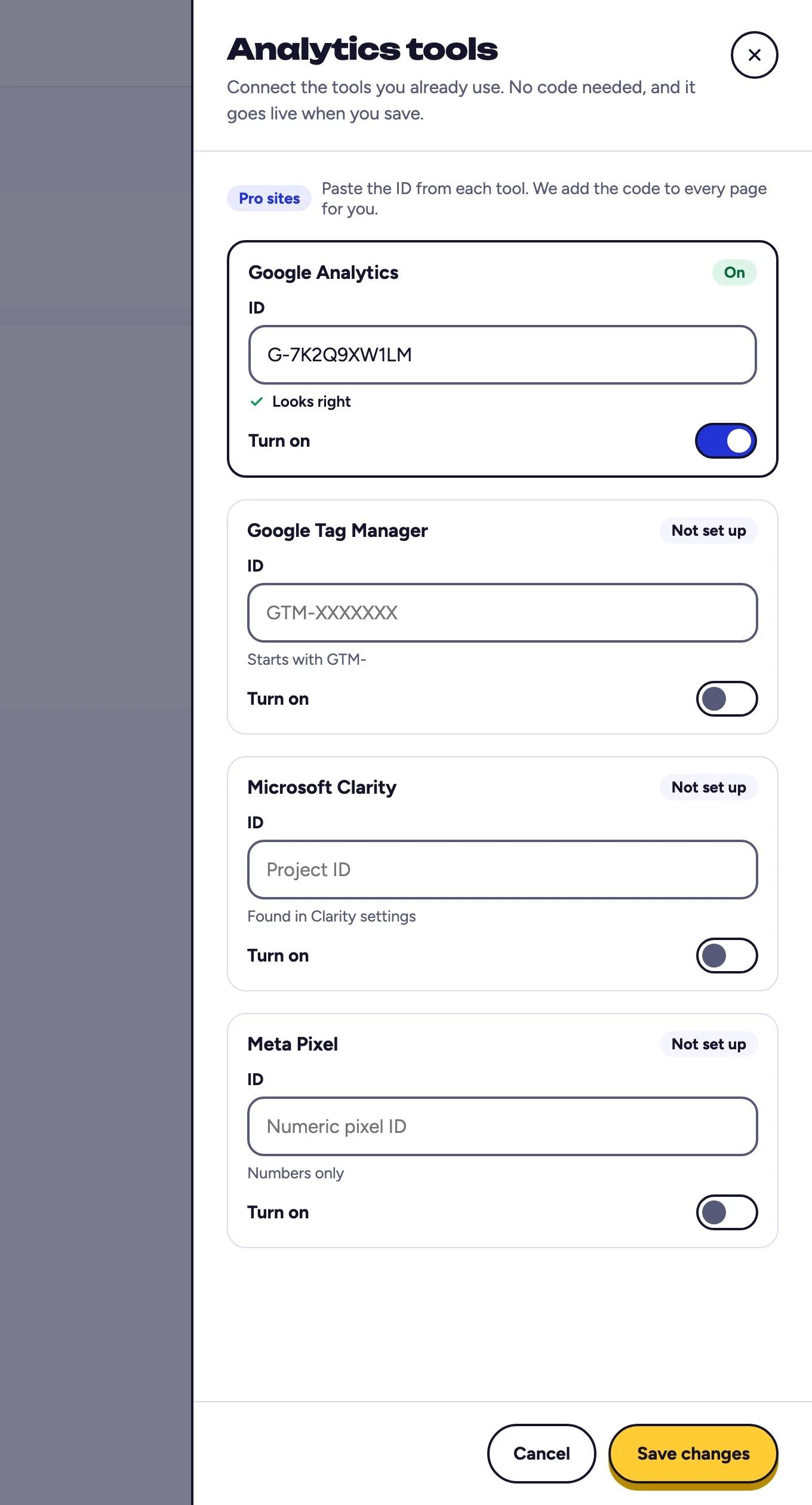
Paste your ID into the matching field and turn it on. The format is checked as you type and again when you save, so a mistyped ID is caught before it reaches your site.
www.makemysitelive.com/sites/flora
12
You should see: Looks right under the ID.
1Paste your G- ID
2Turn it on
4Step 4 of 5
Step 4 of 5
Save
Select Save changes. The tag is installed in the head of every page on your live site immediately. You do not republish and no new version is created.
www.makemysitelive.com/sites/flora
1
You should see: Google Analytics marked On.
1Select Save changes
5Step 5 of 5
Step 5 of 5
Confirm data is arriving
Open your live site, then check the realtime report in your analytics tool. It should register your visit within a minute or two.
Illustration
Realtime report
1visitor in the last 30 minutes1
Every tool words this a little differently.
You should see: your own visit counted within a minute or two.
1Your visit, counted
Frequently asked questions
Which analytics tools are supported?
Four in this version: Google tag with an ID starting G- or GT-, Google Tag Manager with an ID starting GTM-, Microsoft Clarity with a project ID, and Meta Pixel with a numeric pixel ID.
What if my tool is not on the list?
Use Google Tag Manager. It is the escape hatch for anything not directly supported, because you can load almost any tag through a GTM container. You can also keep including your own script in your uploaded HTML, exactly as you do today.
Do I need to update my privacy policy?
Probably. These are third-party tools that may set cookies or collect visitor data, so depending on where your visitors are you may need to update your privacy notice or collect consent. That is your responsibility as the site owner.
Is there an option that does not involve a third party?
Yes. Built-in page views are on by default, free on every tier, and work on microsites too. See the guide on tracking website visitors for free.
Do I have to republish after changing this?
No. Analytics settings apply to the live site as soon as you save.
What happens if my site goes back to Free?
The tags stop being installed immediately, but your saved IDs are kept so the integration resumes if the site becomes Pro again.