A WhatsApp button turns a visitor into a conversation. On most static sites, adding one means finding a snippet, editing your HTML, and republishing. On a MakeMySiteLive Pro site you enter your number, and the button appears on the live site straight away. Here is how.
What you’ll need
A MakeMySiteLive Pro full site. The WhatsApp button is a Pro full-site feature and is not available on microsites.
A WhatsApp number, with the country it belongs to.
Steps
1Step 1 of 5
Step 1 of 5
Open the WhatsApp button editor
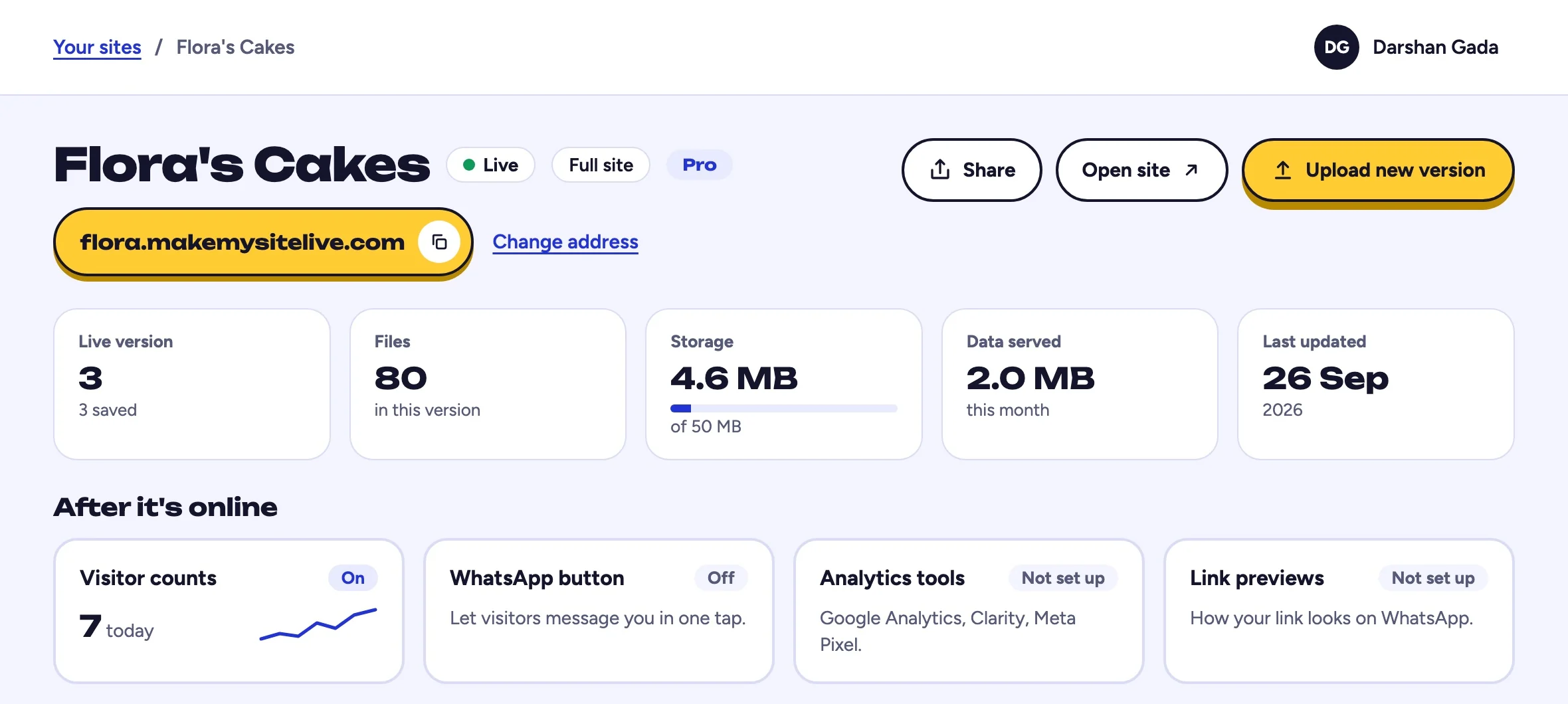
Go to your site in the dashboard. The After it's online tiles are directly below the stat tiles. Select WhatsApp button to open the editor.
www.makemysitelive.com/sites/flora
1
You should see: After it's online, under the stat tiles.
1Select WhatsApp button
2Step 2 of 5
Step 2 of 5
Choose your country and number
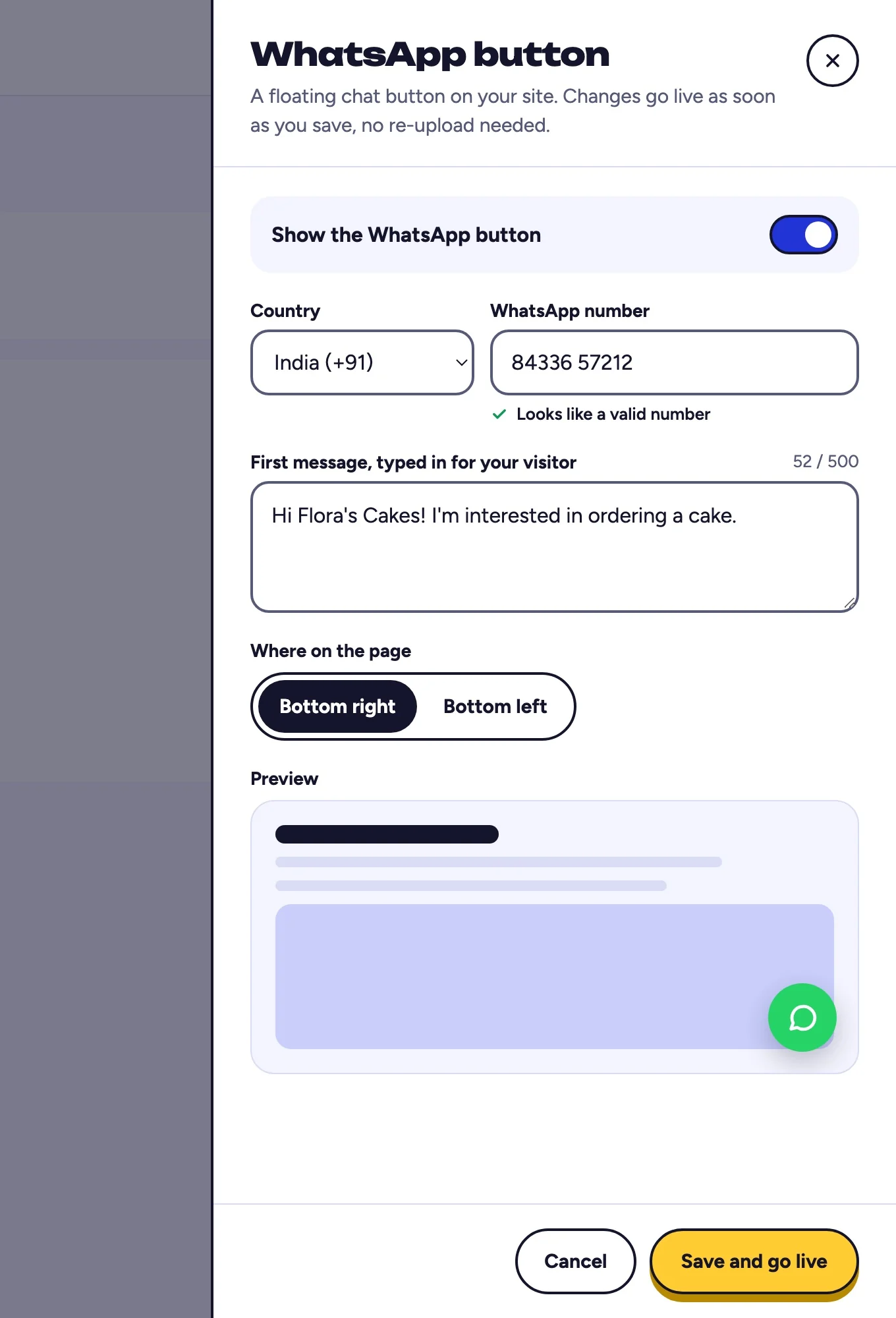
Check that Show the WhatsApp button is switched on at the top. Pick your country from the dial-code list, then enter your WhatsApp number without the country code. The number is checked as you type, so you find out about a typo now rather than after a customer taps it.
www.makemysitelive.com/sites/flora
12
You should see: a green tick under your number.
1Pick your country
2Type your number without the country code
3Step 3 of 5
Step 3 of 5
Write the prefilled message
Set the text that appears in the visitor's WhatsApp app when they tap the button. Something specific like Hi, I saw your website and want a quote works better than a blank message, because the visitor does not have to think of an opening line.
www.makemysitelive.com/sites/flora
1
You should see: your message in the box, ready for visitors.
1Write the first message
4Step 4 of 5
Step 4 of 5
Save
Select Save and go live. The button appears on your live site right away. You do not republish and no new version is created.
www.makemysitelive.com/sites/flora
1
You should see: the drawer close and a saved note.
1Select Save and go live
5Step 5 of 5
Step 5 of 5
Test it on a phone
Open your live site on a phone and tap the button. It should open WhatsApp with your number and your prefilled message ready to send.
Illustration
Flora’s Cakes1
You should see: WhatsApp opens with your number and your message typed in, ready to send.
1The WhatsApp button on your live site
Frequently asked questions
Do I need to republish my site?
No. The button applies to the live site as soon as you save. Your uploaded files and active version are untouched.
Can I add this to a microsite?
Not in this version. The WhatsApp button is available on Pro full sites. Microsites still get built-in page views on every tier.
What happens if my site goes back to Free?
The button stops appearing straight away, but your saved settings are kept. If the site becomes Pro again, your number and message are still there and it starts working again.
Does it work on desktop?
Yes. On desktop it opens WhatsApp Web or the desktop app, and on mobile it opens the WhatsApp app directly.
Can I use a landline or a regular mobile number?
The number has to be registered with WhatsApp. If it is not, the button will open WhatsApp but there will be no account to message.