
How to fix your website link preview
Last updated 28 September 2026
You share your site and the preview is wrong. No image, the wrong headline, or a blank square where your logo should be. That preview comes from Open Graph tags in your page head, and if your site does not have them, each app guesses. On a MakeMySiteLive Pro site you can set the title, description, preview image, and favicon from the dashboard, without editing a single file.
What you’ll need
- A MakeMySiteLive Pro full site. Metadata overrides are a Pro full-site feature and are not available on microsites.
- A preview image, ideally 1200 by 630 pixels.
- A favicon as a PNG or ICO file under 512 KB.
Steps
- Step 1 of 5Step 1 of 5
Open Link previews
In the dashboard, open your site and select Link previews in the After it's online tiles. The status shows whether it is Not set up, Partly set up or Set up.
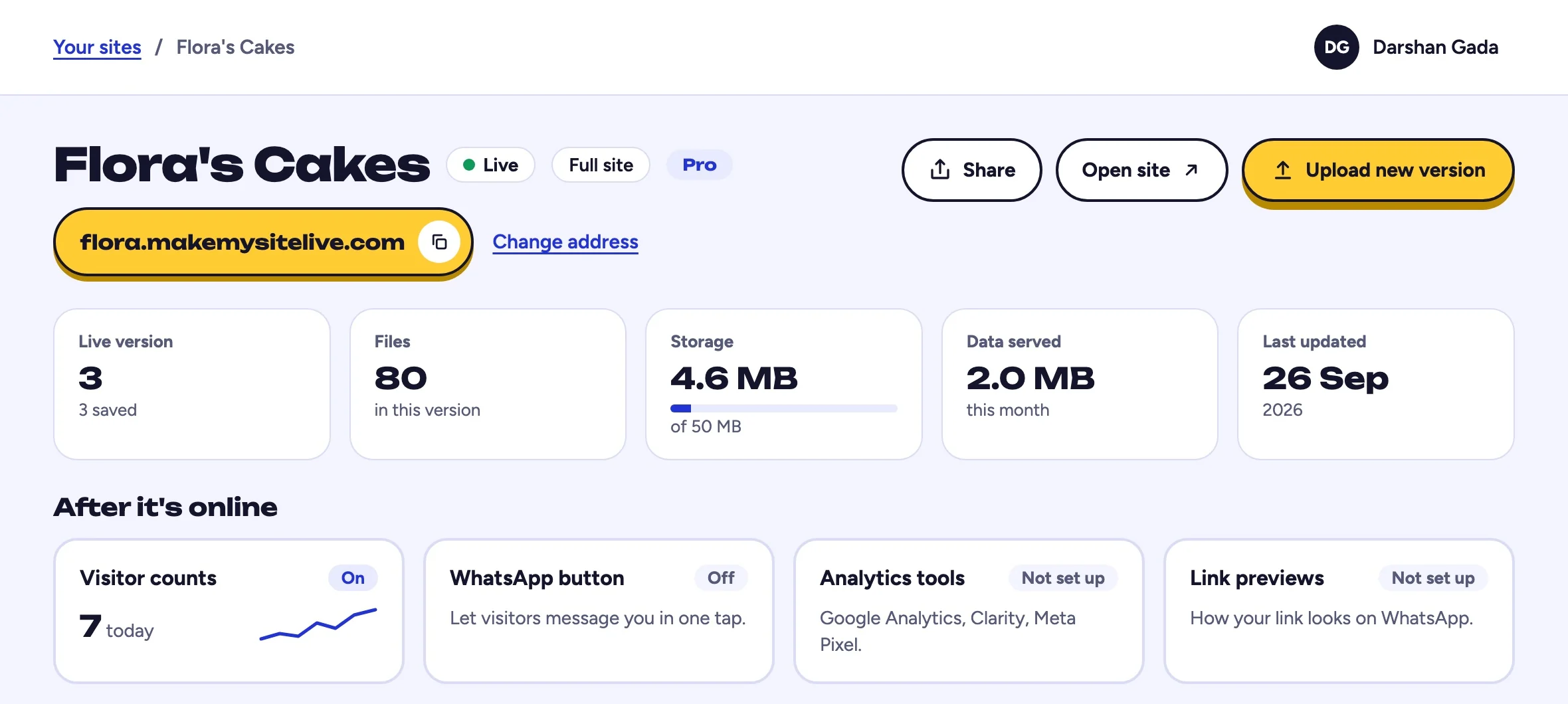
You should see: After it's online, under the stat tiles.
- Select Link previews
- Step 2 of 5Step 2 of 5
Set the title and description
The title is what appears as the headline in a shared link and in search results. The description is the line underneath. Write them for a person deciding whether to tap, not for a search engine.
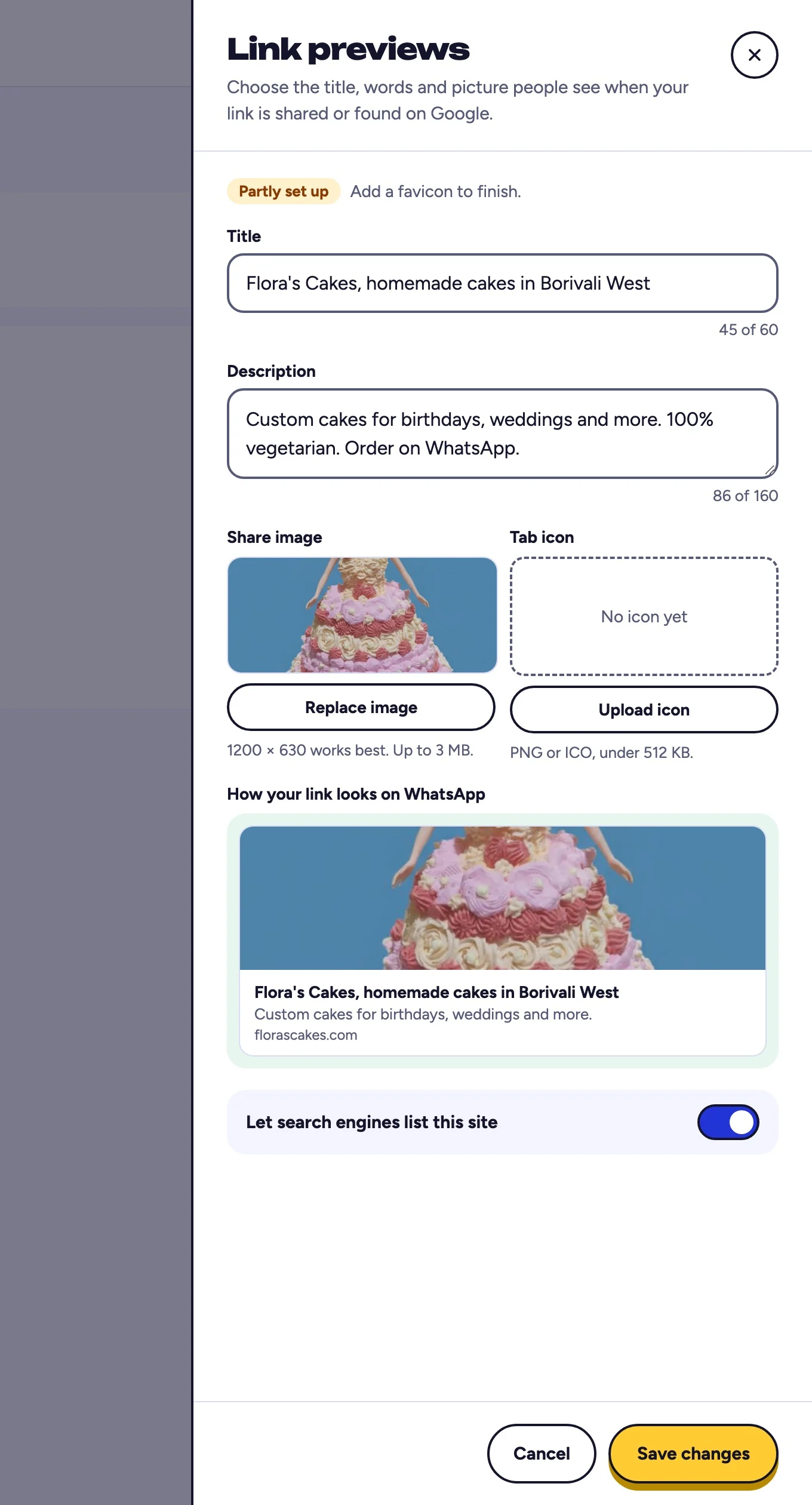
You should see: a counter under each box.
- The headline people see
- The line under it
- Step 3 of 5Step 3 of 5
Upload the preview image
This is the picture that appears when your link is shared. Use 1200 by 630 pixels so it is not cropped awkwardly by WhatsApp, LinkedIn, or X.
You should see: your picture in the WhatsApp preview.
- Upload a 1200 by 630 picture
- Check the preview
- Step 4 of 5Step 4 of 5
Upload a tab icon
The tab icon, also called a favicon, is the small picture in the browser tab and in bookmarks. Upload a PNG or ICO file under 512 KB.
You should see: the icon in the box once it uploads.
- Upload a tab icon
- Step 5 of 5Step 5 of 5
Save and re-test the link
Select Save changes. The metadata applies to the live site immediately. Note that chat apps and social networks cache previews aggressively, so an old preview can linger. Use the platform's own debug or preview tool to refresh their cache.
You should see: the status change to Set up.
- Select Save changes
Frequently asked questions
Why does my link still show the old preview after saving?
The change is live on your site straight away, but WhatsApp, LinkedIn, X, and Facebook each cache previews on their own servers. Use their sharing debugger or preview tool to force a refresh, or wait for the cache to expire.
What size should the preview image be?
1200 by 630 pixels is the safe size. It fits the common aspect ratio used by most platforms, so nothing important gets cropped.
What file types can a favicon be?
PNG or ICO, under 512 KB.
I already have Open Graph tags in my HTML. What happens?
The values you set in the dashboard override what is in your uploaded files, so you can fix a preview without re-exporting and re-uploading your site.
Does this work on microsites?
Not in this version. Metadata overrides are a Pro full-site feature. Microsites still get built-in page views on every tier.
Why is my site not showing on Google?
On a new free account, full sites are hidden from Google for the first 7 days while we check for spam, and Search Console shows this as noindex in the X-Robots-Tag header. It lifts on its own after the 7 days, or straight away with Pro. Microsites are never listed. After that, Google decides when to list a page.
Can I hide my site from Google?
Yes, on a Pro full site. In the same editor, switch off Let search engines list this site. Your site stays online for anyone with the link.
Related guides
More: all guides · comparisons · pricing