
How to track website visitors for free
Last updated 8 August 2026
You want to know if anyone is actually visiting your site. The usual answer is Google Analytics, which means creating an account, pasting a script, and adding a cookie notice. There is a simpler option. Every MakeMySiteLive site has built-in page views turned on already, on every plan, including microsites. Here is how to read them and what they do and do not measure.
What you’ll need
- A published MakeMySiteLive site or microsite. Built-in views work on both.
- Nothing else. There is no script to paste and no account to create.
Steps
- Step 1 of 5Step 1 of 5
Open your site in the dashboard
Go to the site you want to check. The After it's online tiles sit just below the stat tiles at the top of the page.
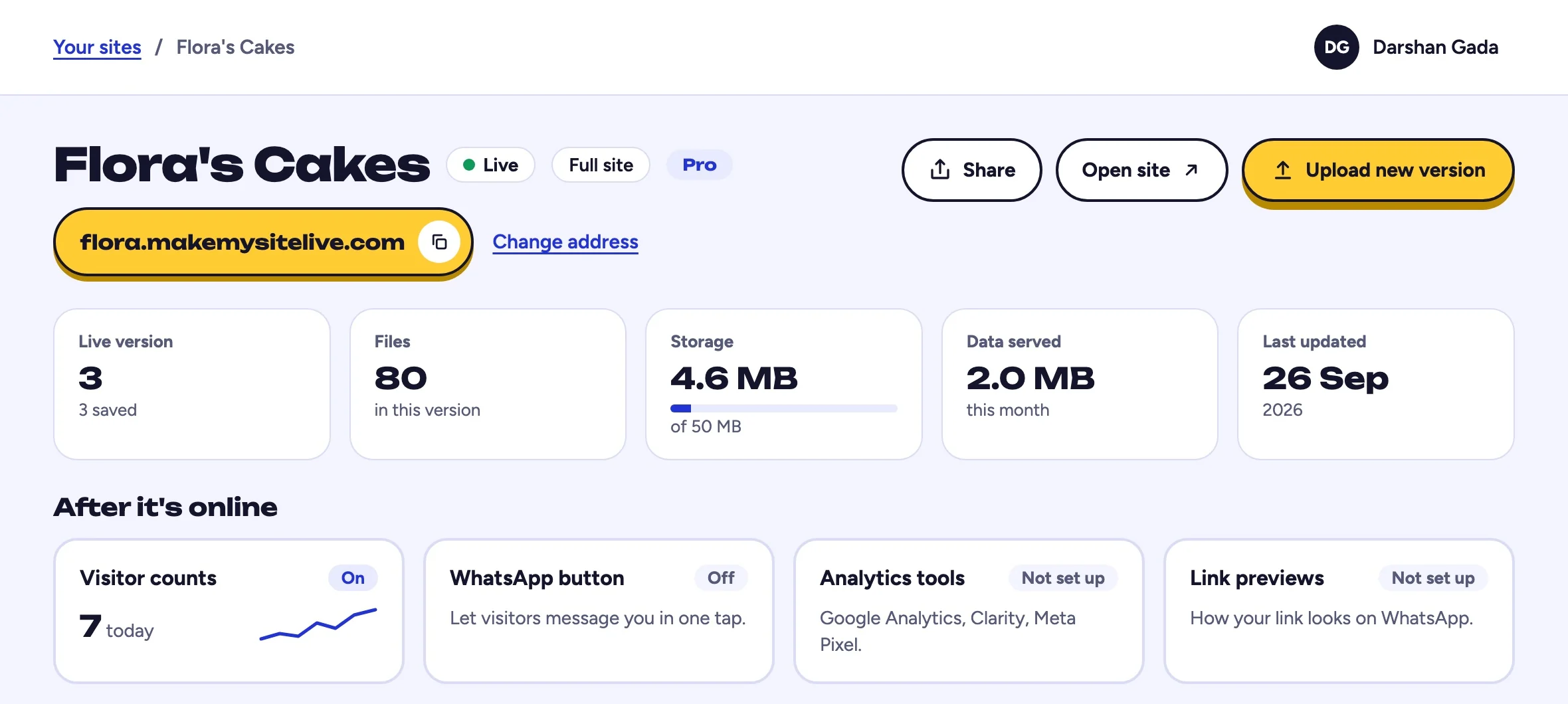
You should see: After it's online, under the stat tiles.
- The Visitor counts tile
- Step 2 of 5Step 2 of 5
Read today's count
The Visitor counts tile shows today's visits and a line for the last seven days, so you can see the shape of your traffic at a glance without opening anything.
You should see: a number for today and a small line.
- Today's visits and the last seven days
- Step 3 of 5Step 3 of 5
Open the full chart
Select the Visitor counts tile for a daily breakdown. Free sites keep the last 7 days. Pro sites keep the last 90 days, which is enough to see whether a change actually moved anything.
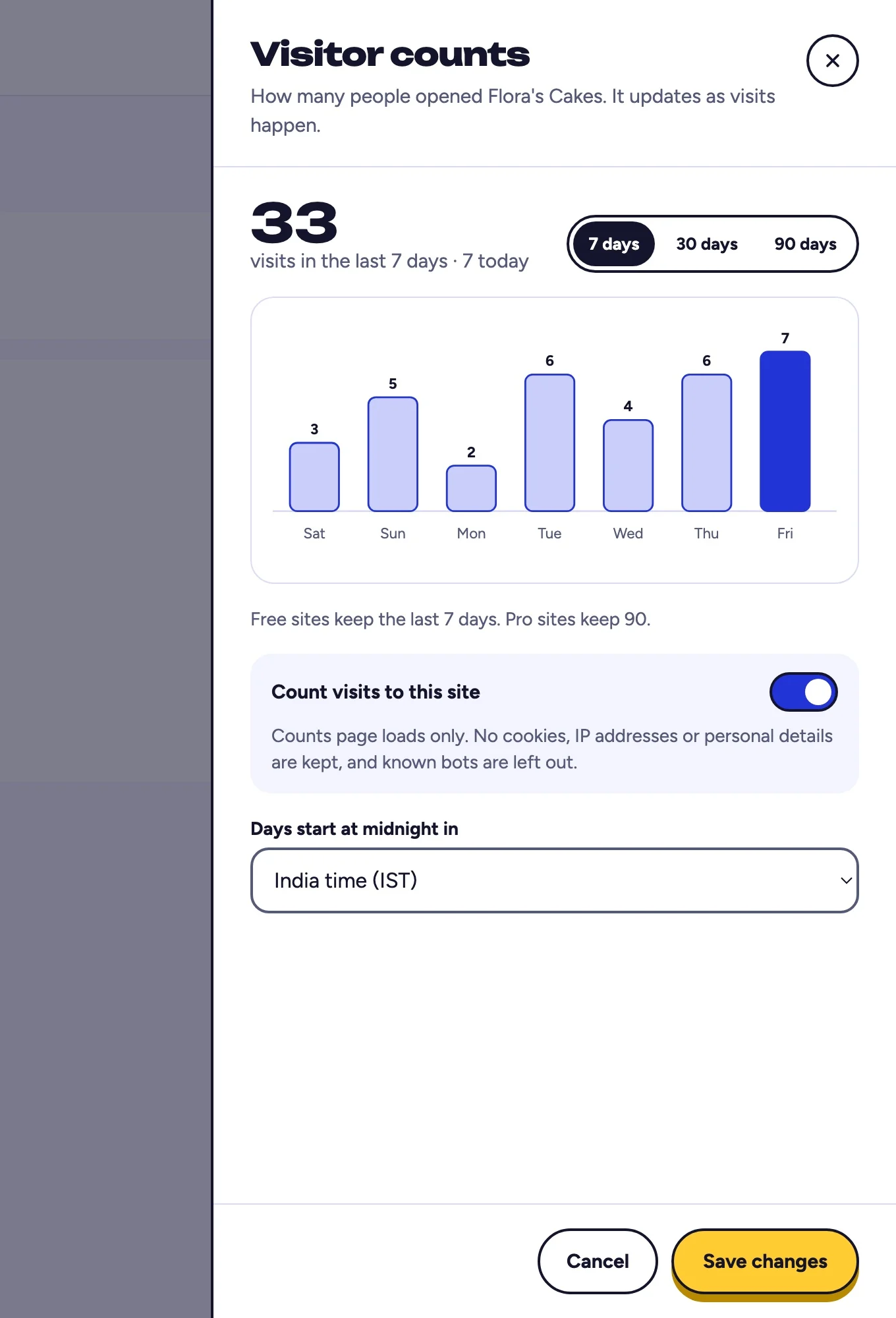
You should see: the Visitor counts panel with a bar for each day.
- Visits for each day
- Switch between 7, 30 and 90 days
- Step 4 of 5Step 4 of 5
Check what is being counted
Views count real page loads. Known bots and crawlers are filtered out, so the number reflects people rather than scrapers inflating your stats.
You should see: a note under the on and off switch.
- What is and is not counted
- Step 5 of 5Step 5 of 5
Turn it off if you prefer
Switch off Count visits to this site at any time. Nothing is collected once it is off.
You should see: the switch turned off.
- Switch this off to stop counting
- Then select Save changes
Frequently asked questions
Does this cost anything?
No. Built-in page views are included on every tier, including free sites and microsites. Only the retention window differs: 7 days on Free and 90 days on Pro.
Do I need a cookie banner for this?
Built-in views do not set advertising cookies or build cross-site profiles. If you add an external provider such as Google Analytics or Meta Pixel, that is a separate decision and you may need to update your privacy notice or collect consent.
Will bots inflate my numbers?
Known bots and crawlers are filtered before a view is recorded, so the count reflects real visits rather than automated traffic.
What if I need more than page views?
Connect a full analytics tool as well. Pro sites can enable Google Analytics, Google Tag Manager, Microsoft Clarity, or Meta Pixel from the Analytics tools tile under After it's online. See the guide on adding Google Analytics to a static site.
Does turning views on require republishing?
No. Growth tool settings apply to the live site immediately. Your active version is untouched and no new version is created.
Related guides
More: all guides · comparisons · pricing