
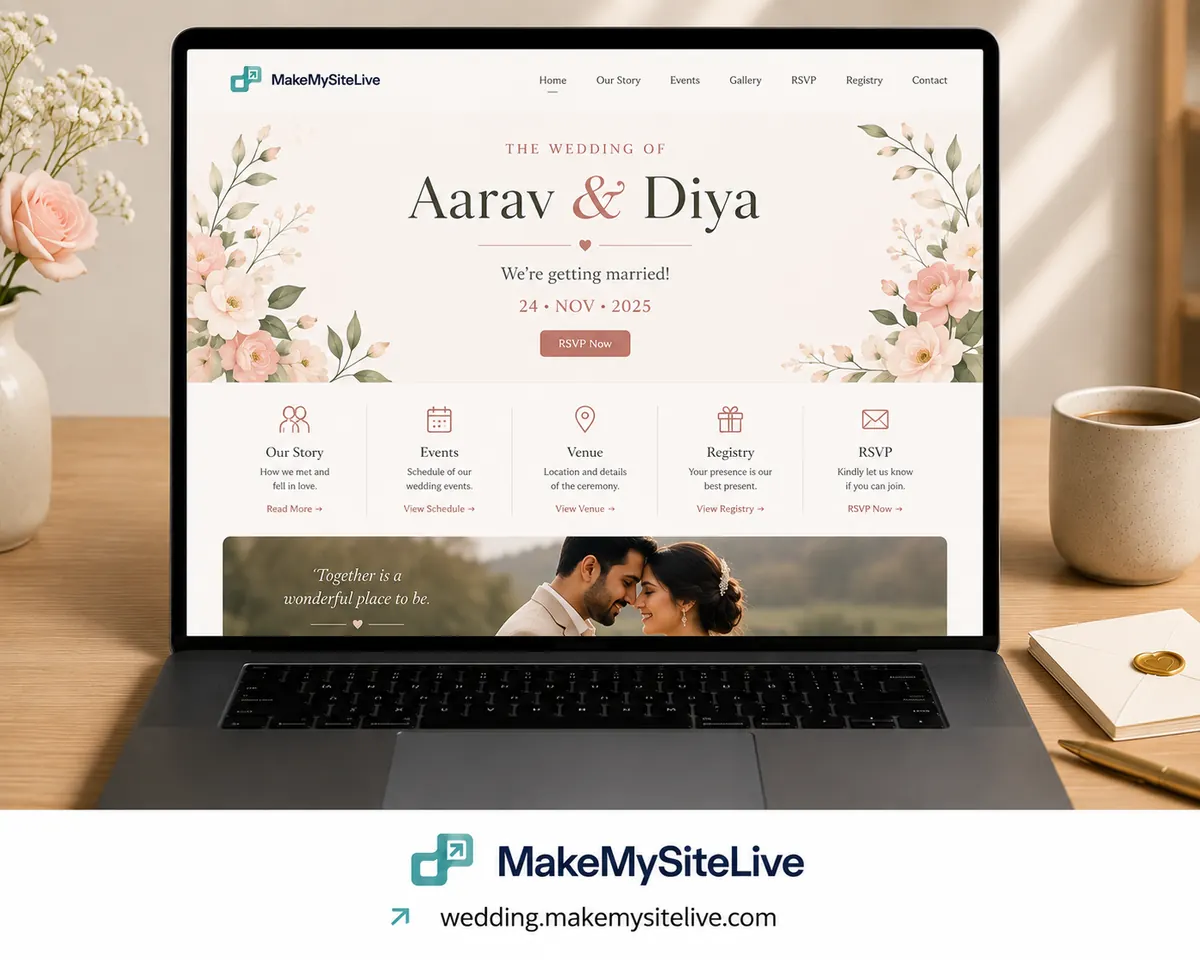
Template
Wedding website
Date, venue, schedule, registry, and an RSVP link guests can actually tap.
Before you paste this
- 1Connect the MakeMySiteLive MCP to Claude or another MCP-compatible agent (one-time setup, under a minute).
- 2Fill in the bracketed details below, or just paste the prompt as-is and answer the agent's follow-up questions.
- 3Paste it in. The agent builds the page and publishes it in the same turn, and hands you back the live link.
MCP connector URL
https://mcp.makemysitelive.com/mcpPrompt
Build a single self-contained HTML wedding page for [NAMES]: date and venue at the top, a schedule if the ceremony and reception differ, travel and hotel info, a registry link if I give you one, and an RSVP button linking to https://wa.me/[YOUR NUMBER]?text=Hi!%20I'd%20love%20to%20confirm%20I'll%20be%20attending.

Then use the MakeMySiteLive MCP to publish it. Ask me whether I want a free microsite or a Pro full site with a custom domain, and give me the live link.
Already connected? You don't have to copy anything. This template is also a ready-made prompt in your agent: type / in Claude and look for Wedding website.
Want the reasoning behind this one first? How to build a simple wedding website with RSVP
More templates
More: Monthly client report · Client project status page · Client proposal · all templates · guides · blog